Reviews
Cookiebot CMP: Deep-Dive Review, Pricing, and Practical Alternatives for 2026
Cookiebot CMP: Deep-Dive Review, Pricing, and Practical Alternatives for 2026Reviews
If your website uses cookies or trackers and serves visitors in regions with privacy regulations, you may need a reliable way to collect, manage, and document user choices. A consent management platform is one common way to automate this process. This cookiebot review breaks down everything you need to know about the tool in 2026: what it does well, where it falls short, and how it fits into broader marketing and privacy workflows.
Quick verdict on Cookiebot CMP in 2026
Cookiebot CMP is a cloud-based consent management platform that handles cookie consent, automatic cookie scanning, and consent banners for regulations like the GDPR, CCPA, LGPD, and dozens of others. It is trusted by over 2.4 million websites globally, processing roughly 8.8 billion monthly user consents across 47+ languages.
Here is a quick snapshot of where things stand:
Pros:
- Strong legal pedigree: merger with Usercentrics in 2021 brought enterprise-level compliance expertise
- Google-certified CMP with support for Google Consent Mode v2
- IAB TCF v2.2/v2.3 registered CMP for programmatic advertising
- Geo-targeted consent banners that auto-adapt to regional privacy laws
- Wide CMS support: WordPress (plugin version 4.7.2 as of June 22, 2026), Shopify, Wix, and more
Cons:
- Subpage-based pricing model can cause unexpected bill increases
- Default monthly scan frequency; daily scanning is an expensive add-on
- External script loaded early in the DOM can affect core web vitals
- Customer support for Cookiebot is only available via email on standard plans
- Limited built-in analytics beyond basic consent rate charts
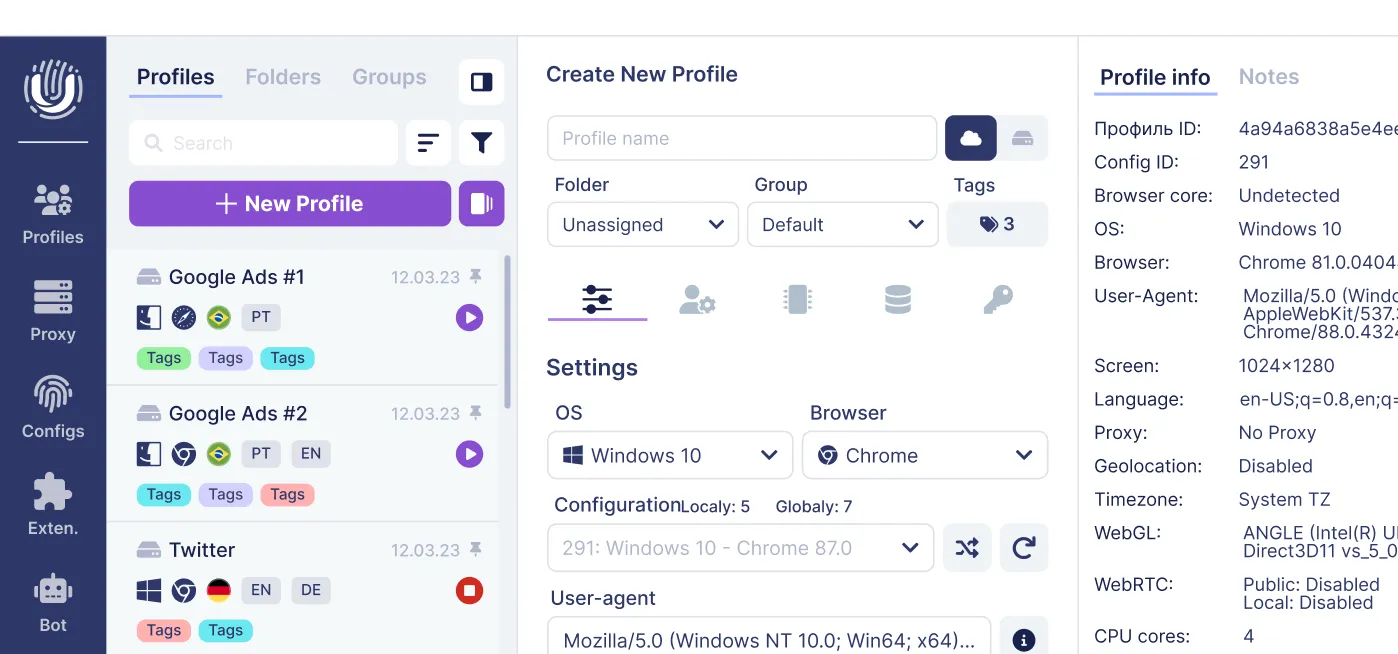
For teams working with many ad accounts-affiliate arbitrage, social media management, ecommerce-a CMP like Cookiebot handles the legal notices on your landing sites, while tools like Undetectable.io handle browser fingerprinting, anonymity, and multi-accounting. Different layers, both essential.
If you are a publisher, ecommerce operator, agency, or privacy-focused marketer running multi-account setups, keep reading.
Why you actually need a consent management platform (CMP)
The days of slapping a "We use cookies" notice on your footer and calling it done are long gone. Since the general data protection regulation took effect in 2018, followed by ePrivacy enforcement, CCPA/CPRA in California, LGPD in Brazil, and a wave of regional laws through 2025–2026, consent management has become a legal requirement rather than a courtesy.
Cookie consent is not just a banner. It is a legal process requiring:
- In jurisdictions that require prior opt-in consent, blocking non-essential cookies and trackers until valid consent is obtained
- Storage of valid consent with timestamps and categories
- Easy withdrawal and modification options for users
- Transparent disclosure of every cookie and tracker on the site
The GDPR requires explicit consent before processing personal data. The CCPA emphasizes consumer rights to opt out of data processing rather than requiring prior consent. Miss either, and the fines are real. As of July 2026, Cookie Fines tracks 5,709 GDPR and ePrivacy enforcement actions totalling over €10.8 billion in penalties. Common triggers include cookies placed before consent, missing reject buttons, and vague cookie information.
Consider what manual consent management looks like versus CMP automation:
- Manual: edit every script tag, maintain a static cookie declaration, track changes when marketing adds new pixels, and hope nothing slips through.
- CMP-automated: detect cookies automatically, configure a compliant cookie banner, send consent signals to ad and analytics systems, and maintain logs for audits-all with minimal ongoing developer effort.
What is Cookiebot CMP? (and how it fits into Usercentrics)
Cookiebot CMP is a cloud-based consent management platform originally founded in 2012 by Cybot. In 2021, Cybot merged with Usercentrics, a German privacy management company. Today, the usercentrics cookiebot cmp brand targets small and mid-sized businesses with a plug-and-play approach, while Usercentrics itself focuses on enterprise-grade privacy management.
The core building blocks of the cookiebot cmp include:
- Automatic cookie scanning that crawls your domain, identifies cookies, local storage items, trackers, and scripts, and classifies them into consent categories
- Automatic cookie banner generation with geo-targeting and multi-language support
- A dynamic cookie declaration page listing every detected tracker
- Consent logs stored for audit readiness
- Integrations with WordPress, Shopify, Magento, Wix, Squarespace, and more
At a technical level, you add a JavaScript snippet to your site's <head>. Cookiebot's crawler then runs periodically, classifying cookies into four types: necessary, preferences, statistics, and marketing. The cookiebot banner and cookie declaration update automatically based on scan results.
Cookiebot is certified by Google for compliance with privacy laws, supports google consent mode v2 for ad compliance, and is an IAB-registered CMP (ID 134) supporting TCF v2.3. It also helps comply with over 40 global privacy laws. This compliance-first orientation separates it from tools that only show a visual cookie banner but never actually block cookies or store consent properly.
Cookiebot vs simple cookie banners vs advanced stacks
There is a spectrum of consent tools available, and understanding where Cookiebot sits on it matters before you commit.
1. Simple cookie banner overlays - plugins or scripts that display a notice ("This site uses cookies") with an "OK" button. They never block scripts, never log consent, and provide zero legal protection. They are essentially decorative.
2. Full CMP like Cookiebot CMP - handles automatic cookie scanning, blocks non essential cookies until consent, sends consent mode signals to ad platforms, stores consent logs, and adapts banners by region. This is a genuine consent collection system.
3. Customized stacks - combine a CMP with google tag manager for tag control, server-side tagging for performance, and tools like Undetectable.io for multi-account browser management. This is the setup for sophisticated marketers doing traffic arbitrage, multi-platform ad buying, or managing multiple websites with distinct privacy profiles.
Where Cookiebot is stronger than basic banners: automated scanning, auto-blocking of third party scripts, consent mode support, audit logs, and geo-targeting. Where it is less flexible: its pricing model is based on discovered subpages (which can inflate unpredictably), reporting is limited compared to dedicated analytics tools, and its reliance on a single external script can affect core web vitals-particularly on ad-heavy pages.
For teams managing many ad accounts across platforms like Google, Meta, and TikTok, a CMP like Cookiebot handles the legal transparency layer on your landing pages, while an anti-detect browser handles browser fingerprinting, proxy management, and multi-accounting. These are different but complementary layers.
Core features of Cookiebot CMP
This section breaks down the most important feature clusters of Cookiebot as they work in 2026. Each addresses a specific compliance requirement rather than just a UX nicety.
Automatic cookie scanning: The scanning engine crawls your domain, follows internal links, and identifies cookies, trackers, and scripts. It classifies everything into consent categories and updates your cookie declaration automatically.
Consent banner and customization: The cookiebot banner supports multiple formats (banner, popup, inline widget), with options for "Accept all / Reject all / Customize" buttons. Appearance is configurable on paid plans with colors, fonts, logos, and custom text.
Prior-consent cookie blocking: The system blocks non essential cookies until user consent is given. Third party scripts for analytics, marketing, and social tracking are held back until the visitor interacts with the consent banner and opts in.
Cookie declaration page: Cookiebot generates a compliant cookie declaration automatically, listing every detected cookie with its provider, purpose, duration, and category. You embed it via a JavaScript snippet on your privacy policy page.
Consent mode and tag integrations: Cookiebot integrates with google tag manager and sends consent signals to Google, Meta, and other platforms. It connects with over 40 platforms including Shopify and HubSpot.
Consent logs and reporting: Every consent event is logged with timestamp, categories, banner version, and language. Logs are encrypted and stored for audit purposes.
Geo-targeting and languages: Banners adapt by visitor location, showing GDPR-style opt-in for the EU, CCPA opt-out for California, LGPD consent for Brazil, and so on-across 47+ languages.
Cross-domain consent sharing: Premium plans support sharing consent state across domains within a domain group, configured via domain group id in the cookiebot dashboard.
Automatic cookie scanning and auto-blocking explained
Cookiebot's patented scanning technology works by simulating real browser visits to your domain. The crawler follows internal links, loads pages, and identifies every cookie, local storage item, tracker, and script it encounters. The platform categorizes cookies into four types: necessary, preferences, statistics, and marketing.
Cookiebot automatically scans websites for cookies every month by default. For fast-changing sites-those running A/B tests, adding new tracking pixels weekly, or launching seasonal campaigns-monthly scanning may not be frequent enough. Daily scanning is available as an add-on, but it costs an additional €99 per month per domain, which adds up quickly for publishers or agencies.
The auto-blocking mechanism inserts the cookiebot script early in the DOM, where it intercepts and holds back non-essential third party scripts until a visitor gives consent through the automatic cookie banner. This covers tools like Google Analytics, Google Ads pixels, Meta Pixel, TikTok Pixel, Hotjar, and similar marketing and statistics trackers. Third party tags are delayed from firing, which keeps your site legally safer but does mean those tools won't collect data from visitors who decline consent.
Practical limitations exist. Some embedded media-YouTube videos, Vimeo players, social media iframes-may require manual configuration or custom code to ensure they are properly blocked before consent. Conflicts with aggressive caching plugins (WP Rocket, LiteSpeed Cache) or CDN configurations can interfere with script loading order. If caching serves a page with the cookiebot script stripped or deferred incorrectly, non essential cookies might slip through. Testing on a staging environment before going live is not optional; it is essential.
Consent banners, customization, and geo-targeting
Cookiebot's consent banner comes in several formats: a bottom or top banner, a centered popup, or an inline widget. Each supports multi-level category choices, with clear "Accept all / Reject all / Customize" buttons and a link to the cookie declaration.
Customization depth depends on your plan. The free plan allows basic text and color changes but limits design flexibility. Paid plans unlock full control over colors, fonts, button styles, logo placement, copy text, and banner positioning. Advanced users can inject custom code for further styling, though this requires CSS knowledge and testing across devices.
Geo-targeting is one of Cookiebot's practical strengths. Using IP-based location detection, it determines whether to show:
- A GDPR-style opt-in consent banner for visitors in the EEA/UK
- An LGPD-compatible consent prompt for Brazil
- A CCPA/CPRA opt-out link ("Do Not Sell or Share My Personal Information") for California
- Other region-specific consent models as configured in your consent settings
Language settings are handled through auto-translations into 47+ languages, with detection of the visitor's preferred language via browser settings. This supports the GDPR requirement that consent information be presented in a clear, understandable language.
Cookiebot allows users to withdraw or modify consent at any time by recalling the banner or visiting the cookie declaration page-an essential requirement under most privacy laws.
Consider a multinational ecommerce site with traffic from the EU, US, Brazil, and APAC. Cookiebot adapts consent banners and consent requirements automatically without separate code bases per region-a significant time saver compared to manually maintaining region-specific consent implementations.
Google Consent Mode v2, IAB TCF, and ad-tech integrations
Since January 16, 2024, publishers using Google AdSense, Ad Manager, or AdMob have been required to use a Google-certified CMP integrated with the IAB TCF when serving personalized ads to users in the EEA and UK. Separately, Google introduced additional Consent Mode v2 requirements for advertising features in 2024. If your ad revenue depends on Google Ads or programmatic display, this is non-negotiable.
Cookiebot supports Google Consent Mode v2 out of the box. When a visitor makes a consent choice, Cookiebot sends consent signals-including ad_storage, analytics_storage, ad_user_data, and ad_personalization-directly to GA4 and Google Ads. Cookiebot automatically updates Google Analytics tracking based on consent, meaning GA4 operates in restricted mode for visitors who decline, and in full mode for those who accept. This is critical for maintaining conversion tracking accuracy while respecting privacy consent.
Cookiebot integrates with Google Tag Manager for tag management through a dedicated GTM template. You configure default consent states (typically "denied" for all non-essential categories), and Cookiebot fires consent update events when a visitor interacts with the banner. Tags controlled by GTM then fire or remain blocked based on the visitor's consent categories.
For publishers reliant on programmatic ad auctions, Cookiebot's IAB TCF v2.2/v2.3 support creates standardized consent strings that communicate consent decisions to SSPs, DSPs, and ad managers. The TCF communicates standardized consent and legal-basis information to participating vendors. Ad-tech systems must then use those signals to determine whether and how each vendor may process data or participate in advertising operations. Since February 2026, TCF v2.3 requires a "Disclosed Vendors" segment in the consent string, which Cookiebot supports.
Beyond Google, tags such as Meta Pixel, TikTok Pixel, and LinkedIn Insight Tag can be managed according to the user’s consent, typically through Google Tag Manager or manual script configuration. For marketers running traffic arbitrage or multi-account ad testing, having a transparent consent layer on every landing site is not just good practice-it reduces legal risk from both regulators and ad platforms that audit advertiser compliance.
Consent logging, cookie declaration, and audit readiness
Documentation is where consent management shifts from "nice to have" to legally required. GDPR Article 7 demands that controllers be able to demonstrate valid consent. When a regulator or DPA asks for proof, you need records.
Cookiebot provides encrypted consent logging for compliance records. Cookiebot’s consent records include data such as an anonymized IP address, consent date and time, browser user agent, source URL, an anonymous encrypted key, and the user’s recorded consent state. These logs are retained and can be exported in CSV format for further review, storage, or audit preparation.
The cookie declaration feature is equally important. Cookiebot generates a compliant cookie declaration automatically-a structured list of every cookie and tracker discovered during scanning, including provider name, purpose description, duration, type (HTTP cookie, HTML5 local storage, pixel, etc.), and consent category. You embed this into your privacy policy page via a JavaScript snippet, and it updates each time the scanner runs.
Monthly scan reports are emailed to administrators summarizing new or removed cookies. On paid plans, reports can go to multiple users responsible for compliance monitoring.
Cookiebot uses a configurable consent-expiration period, which is set to 12 months by default. GDPR itself does not impose a universal annual renewal requirement, although consent should be refreshed when purposes, vendors, or other material circumstances change.
One notable gap: Cookiebot's reporting provides high-level consent stats-opt-in versus opt-out rates over time, category breakdowns-but lacks deep analytics. There is no built-in way to measure conversion impact by consent choice, segment consent behavior by traffic source, or run cohort analyses. For legal defensibility, the logs are sufficient. For optimization, you will need additional tools.
Installing and configuring Cookiebot CMP (WordPress, Shopify, and custom sites)
Installation is straightforward on mainstream CMS platforms, though complex or high-performance setups may need developer involvement.
WordPress: You can install Cookiebot in under 5 minutes on WordPress. Install the cookiebot plugin from the official directory, enter your domain group id from the Cookiebot account, run an initial scan, and configure your consent banner and consent mode settings. The setup process is guided. Recent versions (4.7.x, June 2026) add WP-CLI support and an Abilities API for scripted configuration, which is useful for agencies managing multiple websites or wordpress site deployments programmatically.
Shopify, Wix, Squarespace: Add the Cookiebot CMP app or embed the script in your theme header. Verify the domain in the cookiebot dashboard, and test that the consent banner appears correctly and that blocking behavior works as expected. Cookiebot supports multiple CMS platforms including Shopify and Wix, making cross-platform deployment manageable.
Custom sites: Add a small script to your site's header-specifically, embed the cookiebot script tag into the <head> section without async or defer if you need full auto-blocking. Register the domain in your Cookiebot account and configure integrations with google tag manager and your analytics/ad scripts via site code modifications.
Pre-launch checklist:
- Test on staging before production
- Verify that non essential cookies are not set before consent
- Test different locations via VPN for geo-targeted consent banners
- Measure the current Core Web Vitals—LCP, INP, and CLS—before and after adding the script
- Confirm that third party cookies and tracking scripts only fire after consent
Cookiebot pricing in 2026: plans, subpages, and hidden costs
Cookiebot's pricing model is per-domain, with price tiers based on the number of subpages the scanner discovers-not traffic volume. This distinction matters because it can produce surprises.
The free plan: Cookiebot offers a free plan for one domain and 50 subpages. It includes an initial cookie and tracker scan, a basic consent banner, and limited consent management features. Automated monthly scanning is available on Premium plans. Cookiebot free is best suited for very small or brochure-style sites-personal portfolios, single-page landing pages, or small blogs.
Paid plans and tiers: Paid plans scale with the number of pages on your site. The tiers break down roughly as:
| Tier | Subpage Limit | Approximate Cost (USD/mo/domain) |
| Lite | Up to 50 | $8 |
| Small | Up to 350 | $16 |
| Medium | Up to 3,500 | $34 |
| Large | Up to 7,000 | $56 |
| Extra-Large | 7,000+ | $96+ |
Each domain generally requires its own Cookiebot subscription. The Small tier is typically available only to accounts with at least four domains, while accounts with fewer domains may be assigned to the Medium tier. In August 2025, Cookiebot restricted the Premium Small tier to accounts with at least four domains. Accounts with one to three qualifying domains were moved to the more expensive Premium Medium tier, causing substantial price increases for affected customers.
Automatic tier upgrades: Here is where the subscription cost can catch you off guard. If the scanner detects more subpages than your current tier allows during any billing cycle, your plan is automatically upgraded to the next tier. Query parameters, faceted navigation, search result pages, and paginated URLs can inflate subpage counts far beyond what you might expect. Multiple users have reported unexpected bill increases because of this behavior.
Daily scanning: Daily scanning costs an additional €99 per month per domain. For fast-moving publishers or sites with frequent third party scripts changes, this is a significant line item. Most cookiebot plans include only monthly automated scanning by default.
When is Cookiebot worth the price (and when is it not)?
Cookiebot delivers strong value in specific scenarios and poor value in others. Here is how to think about it.
Ideal use cases:
- Stable corporate or content sites with fewer than 500–1,000 subpages, where pricing stays predictable
- Ecommerce stores heavily dependent on google ads and GA4, where google consent mode v2 certification is crucial for ad measurement and ad delivery
- Agencies managing a modest number of small client sites with simple consent requirements
- Organizations needing clear audit trails without the budget or engineering capacity to build their own CMP
Where Cookiebot becomes expensive or unwieldy:
- Large product catalogs with thousands of filtered, parameterized, or paginated URLs
- News portals with tens of thousands of articles
- Companies running dozens of microsites where each domain needs its own subscription and daily scanning
- Sites where subpage counting behavior consistently triggers automatic tier upgrades
Alternative approaches worth considering:
- Flat-fee CMPs that charge per organization regardless of page count
- Server-side consent management plugins for WordPress or custom stacks
- Lightweight setups using tag managers and simpler consent banners for very small operations with minimal legal risk
Before committing, run a test scan on your production domain to estimate your real subpage count. Simulate 12–24 months of content growth. Budget for potential auto-upgrades. These steps will prevent the billing surprises that dominate negative feedback about cookiebot plans.
Impact on performance and Core Web Vitals
Cookiebot runs as an external JavaScript loaded early in the <head>, which inevitably impacts performance metrics. This is a trade-off every website owner must evaluate.
Typical performance impacts:
- Added DNS lookup and TLS handshake for the external Cookiebot domain
- Render-blocking behavior if the script is not loaded asynchronously (required for full auto-blocking functionality)
- Delayed loading of third party tags-google analytics, google ads pixels, social tracking scripts-because they are held until consent is granted
- Cookiebot can negatively impact site performance on ad-heavy pages, where dozens of marketing scripts depend on consent signals before firing
Mitigation strategies:
- Use Google Tag Manager templates tuned for consent mode performance
- Add script exclusions or deferment for non-essential tools where compatible
- Evaluate server-side consent management alternatives if core web vitals scores are mission-critical for your SEO rankings
- Test how your caching or CDN setup interacts with the cookiebot script-plugins like WP Rocket or LiteSpeed Cache have been reported to cause conflicts with script loading order
Measurement: Run Google Lighthouse and PageSpeed Insights before and after adding Cookiebot. Use real-user monitoring dashboards to catch regressions. Privacy compliance must be balanced against conversion and UX goals-a 200ms increase in LCP is worth less than a six-figure GDPR fine, but ignoring performance entirely will cost you in ad revenue and bounce rates.
Consent analytics and reporting: strengths and blind spots
Many teams expect their CMP to double as an analytics tool. Cookiebot focuses more on compliance than marketing analytics, and understanding this gap upfront prevents frustration.
What Cookiebot reports today:
- Overview dashboard showing consent rates (opt-in vs opt-out over time)
- Consent breakdowns by category (necessary, preferences, statistics, marketing)
- Scan status and list of discovered cookies and trackers
- Exportable CSV consent log files for audits
What is missing:
- Granular segmentation by traffic source, device, or geographic location
- Conversion impact analysis-no way to see how consent decisions affect downstream sales or signups
- Integration of consent data with ad measurement or conversion tracking dashboards
- Robust visualizations beyond basic line charts
Workarounds: Combine Cookiebot consent logs with GA4 consent mode data or export to a BI tool. Build custom dashboards to correlate consent state with performance metrics. Layer a separate analytics solution that respects consent mode signals for deeper insights.
For legal defensibility, Cookiebot's reporting is sufficient. For optimization-understanding how consent rates affect ad revenue, which traffic sources produce higher opt-in rates, or which consent banner designs perform better-teams will need additional tools and potentially some custom SQL or dashboard work. Other cmp providers may offer deeper analytics, but typically at higher price points or enterprise tiers.
Customer support, documentation, and community feedback
Cookiebot's official support channels as of 2026 are primarily email-based. There is a comprehensive Help Center with documentation organized by CMS, a knowledge base covering consent framework configuration, and plugin-level guides for WordPress, Drupal, and Shopify.
The lack of live chat or phone support on standard plans can slow resolution for urgent issues-like a broken consent banner blocking checkout conversions, or a misconfigured auto-blocker preventing analytics from firing. For website owners who need fast turnaround, this is a genuine limitation.
Patterns from public reviews (Capterra, G2, Trustpilot, WordPress.org):
- Praise for reliability and easy setup on simple sites
- Positive mentions of specific support agents providing helpful, timely responses and quick refunds when warranted
- Criticism focused on pricing surprises from subpage counting behavior, slow or inflexible responses around billing disputes, and auto-upgrades that users did not anticipate
- Some users reported months of overcharging because query-string URLs or search-result pages were counted as separate subpages, inflating their tier
The documentation is genuinely thorough. If you invest time reading the support articles and testing in a staging environment before going live, you can resolve most issues without needing to contact support. For agencies deploying across multiple websites, building internal documentation based on Cookiebot's guides can reduce the support dependency significantly.
Security, privacy posture, and regulatory alignment
The security and privacy posture of any consent management platform matters because CMPs handle consent logs, IP addresses, and identifiers that regulators scrutinize. A CMP that itself violates privacy principles defeats its purpose.
Cookiebot's approach includes encrypted storage of consent logs, limited use of personal data through anonymized or pseudonymous identifiers, and processing that aligns with ISO 27001 standards (referenced in supplier documentation and RFI materials). Data is processed in accordance with applicable laws.
How Cookiebot helps satisfy key GDPR principles:
- Lawfulness: Prior consent blocking ensures non essential cookies are not set before consent
- Transparency: The cookie declaration and consent banner provide clear information about what data is collected and why
- Accountability: Consent logs with timestamps, categories, and banner versions create an audit trail
- User rights: Visitors can withdraw or modify consent at any time via the banner or cookie declaration page
For US and global regulations, Cookiebot supports CCPA/CPRA opt-out mechanisms, Global Privacy Control (GPC) signals, LGPD, and other regional consent requirements. The legal framework coverage is broad but not automatic.
Using Cookiebot does not automatically ensure legal compliance for websites. Misconfiguration-hard-coded tracking scripts outside Cookiebot's control, third party cookies loaded via custom code that bypasses the auto-blocker, or incorrect consent mode setup-can still lead to non-compliance. CMPs reduce legal risk but do not replace tailored legal advice from qualified counsel familiar with your specific situation and jurisdictions.
How Cookiebot fits into multi-account and privacy-heavy workflows (Undetectable.io angle)
This section comes from our perspective at Undetectable.io. We build an anti-detect browser designed for multi-accounting, anonymity, and traffic arbitrage. We do not compete with Cookiebot-we operate at a different layer of the privacy and operations stack.
Here is a realistic workflow. Marketers or arbitrage teams run multiple ad accounts and storefronts via Undetectable.io browser profiles, each with a unique fingerprint, proxy, and cookies bot for warmup. Their landing pages and shops, meanwhile, use a CMP like Cookiebot to handle cookie consent and legal transparency for visitors. These are separate concerns that work together.
Division of responsibilities:
| Layer | Tool | Function |
| Operational anonymity | Undetectable.io | Browser fingerprint control, proxy management, multi-account creation, profile warmup, API automation |
| Visitor-facing compliance | Cookiebot CMP | Consent banner, cookie scanning, consent logging, consent mode signaling, cookie declaration |
This combination is attractive for privacy-conscious professionals because it separates operational anonymity (inside the anti-detect browser) from user-rights-driven transparency (on public websites). You reduce both detection risk by ad platforms and legal risk from regulators simultaneously.
For teams doing TikTok traffic arbitrage or managing Facebook accounts at scale, the consent layer on landing pages is not optional. Google, Meta, and TikTok all audit advertiser landing pages for privacy compliance, and missing or misconfigured consent banners can trigger ad account restrictions.
Best practices:
- Ensure each domain used in campaigns has a correctly configured CMP with valid consent collection
- Keep consent mode configuration consistent across all browser profiles
- Regularly audit cookies and third party tags after major campaign changes
- Use browser fingerprint testing tools to verify that your anti-detect setup and your CMP operate independently without interference
Alternatives to Cookiebot CMP and how to evaluate them
Many consent management platforms now compete with Cookiebot, differing in deployment model, pricing, and integration depth. Rather than promoting specific alternatives, here are evaluation criteria that matter.
Core evaluation dimensions:
- Scanning accuracy and frequency: How often does the CMP scan, and does it catch dynamically loaded scripts and third party cookies reliably?
- Consent banner flexibility: Can you customize templates fully, or are you locked into rigid layouts? Does it support consent categories beyond the standard four?
- Deployment model: Client-side JavaScript only, or server-side / edge function options that minimize performance impact?
- Ad-tech integration: Native support for google consent mode v2 and IAB TCF? Certified by Google?
- Consent logging quality: Exportable, encrypted, with sufficient detail for audit ready compliance?
Pricing comparison dimensions:
| Model | Cookiebot | Some Alternatives |
| Billing basis | Per domain, per subpage tier | Per organization, flat fee, or per traffic |
| Scan add-ons | ~€99/mo for daily scanning | Often included |
| Multi-domain | Separate subscription per domain | Often bundled |
| Free tier | 1 domain, 50 subpages | Varies widely |
When a leaner solution might suffice: Very small sites with static content and few third party scripts, temporary campaign landing pages, or projects where legal risk is genuinely low and budgets are tight.
Recommended decision process: Pilot Cookiebot (or an alternative) on one test domain. Run full cookie scans. Compare performance metrics, consent rates, and actual cost after a billing cycle. Only then roll out widely. For teams with complex multi-account setups, evaluate how well the CMP coexists with your anti-detect browser and proxy infrastructure.
Practical implementation checklist for Cookiebot CMP
If you have decided to implement Cookiebot on a production site, follow this step-by-step checklist.
Planning and setup:
- Inventory current cookies and trackers on your site (use browser developer tools or a manual scan)
- Sign up for Cookiebot and configure your domain group in the cookiebot dashboard
- Embed the cookiebot script or install the cookiebot plugin on your CMS
- Run initial automatic cookie scanning and review the results
- Customize your consent banner-text, colors, buttons, language settings, and placement
Integration:
- Configure consent mode for Google tags (GA4, Google Ads) via google tag manager or inline implementation
- Verify that consent signals are firing correctly using browser console and Tag Assistant
- Set up your dynamic cookie declaration on your privacy/cookie policy page
Testing:
- Test geo-targeted consent banners using VPN or location testing tools
- Verify these scenarios: first-time EU visitor, returning visitor with prior consent, US visitor under CCPA/CPRA, Brazil visitor under LGPD, and behavior when JavaScript is blocked or fails
- Run performance tests (Lighthouse, PageSpeed Insights) to measure impact on core web vitals
Stakeholder alignment:
- Legal/compliance team owns consent banner copy and cookie policy language
- Marketing team monitors scan reports for new or unexpected trackers
- Analytics team verifies that consent mode is correctly restricting or enabling data collection
- Development team handles script placement, caching conflicts, and performance optimization
Maintenance mode: Watch monthly scan emails. Re-run scans manually after deploying new third party tags or A/B testing platforms. Review your pricing tier periodically-especially after content expansions or site redesigns that add subpages-to avoid budget surprises from automatic tier upgrades.
Final verdict: should you adopt Cookiebot CMP in 2026?
Cookiebot is a mature, Google-certified consent management platform with strong legal alignment, automation, and wide CMS support. It handles cookie compliance well for the sites and scenarios it was designed for. But it comes with clear trade-offs in its pricing model, scan frequency limitations, performance impact, and analytics depth.
Recommendations by reader segment:
- Small stable sites (under 50 pages): The cookiebot free plan handles the basics. Upgrade to the Lite tier if you need more customization. At this scale, the subpage counting issue is unlikely to bite.
- Mid-sized, data-driven businesses relying on google ads, GA4, and programmatic ads: Cookiebot is a strong choice. Google certification and consent mode support justify the subscription cost, and consent logs provide the audit ready compliance trail regulators expect.
- Large, dynamic sites or multi-site networks: Evaluate carefully. The per-domain pricing, subpage-based tiers, and daily scanning costs can add up fast. Flat-fee or server-side CMPs may be better fits.
CMP choice should be part of a broader privacy and operations stack. Use a CMP like Cookiebot for consent management on your public-facing sites. Use tools like Undetectable.io for anonymity and multi-account workflows behind the scenes. Layer in secure tag management and internal governance processes.
The practical next step: run a test implementation on a non-critical domain. Analyze performance impact and real cost over one to two billing cycles. Gather feedback from your legal and marketing teams. Only then standardize on Cookiebot-or an alternative-across all your properties. Data beats assumptions, especially when both fines and ad revenue are on the line.
Related posts
View all articlesJoin 450,000+ users who chose Undetectable
- Advanced anti-detection technology
- Unlimited local profiles from $49
- The perfect solution for multi-accounting