MAC Address Changer: 2026 Guide to Spoofing Your Hardware ID
MAC Address Changer: 2026 Guide to Spoofing Your Hardware IDGuides
Every device on your local network has a unique identifier that can be tracked across coffee shops, airports, and offices. This guide shows you exactly how to change your mac address on Windows, Linux, and macOS—with copy-paste commands you can use right now.
Quick answer: how to change your MAC address right now
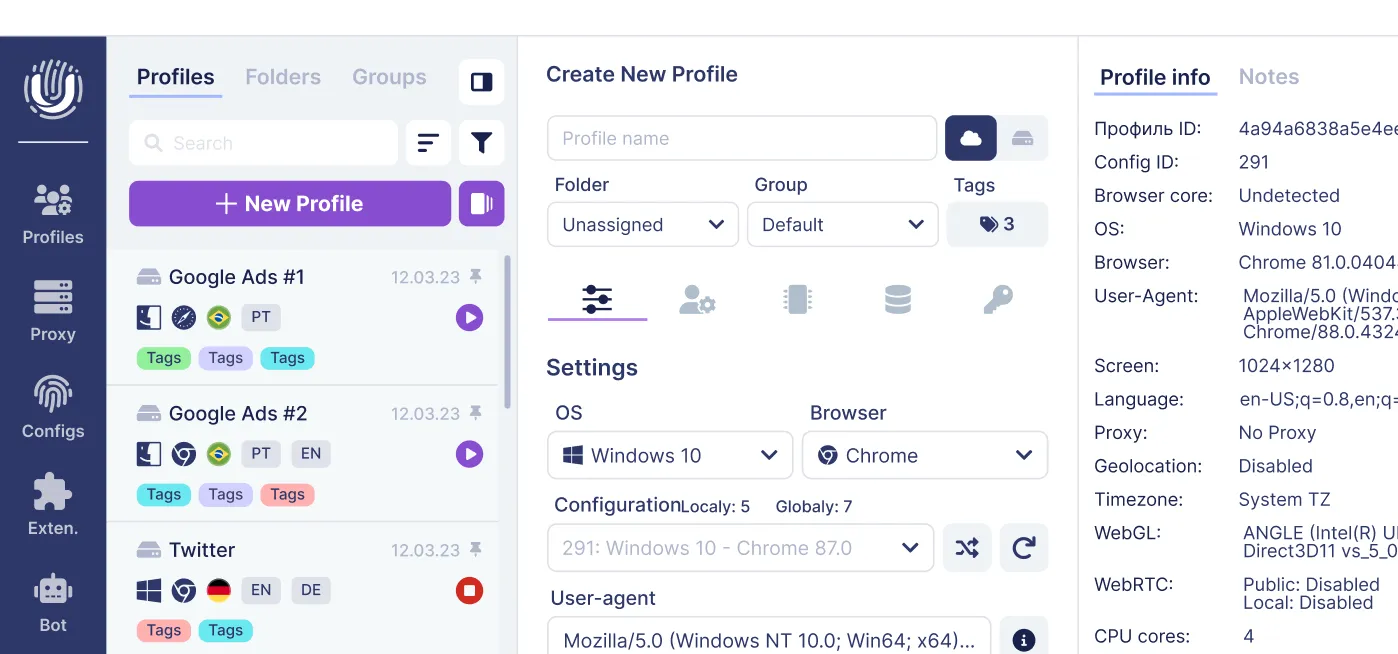
Here’s the fastest way to spoof your mac address on any major operating system in 2024. These commands work immediately, though they reset after reboot. For persistent browser-profile isolation that combines fingerprint, cookies, and proxy/IP separation, consider an antidetect browser like Undetectable.io. MAC spoofing still has to be handled at the OS or network-adapter level.
sudo ip link set dev wlan0 address 02:aa:bb:cc:dd:ee
sudo ip link set dev wlan0 up
macOS:
macOS support depends on the interface and driver. In many cases, you need to turn Wi-Fi off first, apply the ifconfig command, then turn Wi-Fi back on. On some modern Macs, manual spoofing may not work reliably.
Note: The macOS change resets on reboot or sleep. For deeper sections on each platform, keep reading.
What is a MAC address and why it matters for privacy
Think of a mac address as a serial number permanently etched into your network interface card. Unlike an IP address that changes when you connect to different networks, your mac media access control address stays constant—unless you deliberately spoof it.
A mac address consists of:
A 48-bit identifier (6 bytes) written as six hexadecimal digits pairs like 3C:52:82:1F:9A:7B
An Organizationally Unique Identifier (OUI) in the first three bytes revealing the vendor (Apple, Intel, Realtek)
A unique identifier assigned by the manufacturer in the remaining three bytes
Your physical address gets logged by:
Public wi fi networks in airports, hotels, and malls tracking returning devices over months
Enterprise networks using MAC whitelisting for access control and auditing
Shopping centers correlating movement patterns across visits
From a privacy perspective, even if you hide your IP with a VPN, a stable device’s mac address (combined with browser fingerprint) enables long-term correlation on your local network, which tools like AmIUnique browser fingerprint tests can clearly demonstrate.
Types of MAC address and what you’re actually changing
When you use a mac address changer, you never rewrite the physical chip. You only override what your operating system reports to the network adapter.
Invalid for clients: 01:16:3E:4F:8A:10 (multicast) or FF:FF:FF:FF:FF:FF (broadcast)
Tools like technitium mac address changer simply write the LAA to registry or driver properties—exactly what you can do manually.
How to view your current MAC address
Before changing anything, you need to know your current mac address to verify spoofing worked and to restore the original mac address later. Modern devices have multiple network interfaces (wi fi, ethernet adapter, virtual adapters), each with independent addresses.
View MAC address in Windows (10 & 11)
Both Windows 10 and 11 share similar CLI tools for viewing network settings.
Press the windows key, type “cmd”
Open command prompt as administrator
Run the following command: ipconfig /all
Look for “Wireless LAN adapter Wi-Fi” and note the Physical Address:
Physical Address. . . . . . : 3C-52-82-1F-9A-7B
PowerShell alternative:
Get-NetAdapter | Select Name, MacAddress
View MAC address in Linux
Commands work across Ubuntu 22.04, Debian 12, Fedora 39, and Arch. Interface names vary (wlan0, wlp3s0, eth0, enp3s0).
The link/ether value is your active network adapter MAC. NetworkManager GUI users can find it under Settings → Wi-Fi → gear icon → Details as “Hardware Address.”
View MAC address in macOS
These commands work on Monterey 12, Ventura 13, and Sonoma 14.
Open Spotlight → type “Terminal”
Run: ifconfig en0 | grep ether
Output: ether ac:de:48:88:99:aa
For some Macs, Wi-Fi may be en1. Run networksetup -listallhardwareports to list all interfaces. System Settings → Wi-Fi → Details also shows your “Wi-Fi Address.”
How to change MAC address on Windows (10 & 11)
Windows 10 supports manual MAC overriding via device manager or registry. Windows 11 emphasizes per network basis randomization but still honors registry overrides. Not all drivers expose configurable MACs—some Intel wireless adapter cards ignore changes for regulatory compliance.
Privacy note: Changing your MAC is only one layer. True multi-account anti-detection requires unique browser fingerprints and separate proxies, which Undetectable.io automates.
Change MAC address via Device Manager
Before starting, note your default mac address from the previous section.
Press Win + X → choose “Device Manager”
Expand “Network adapters”
Right-click your network interface card → “Properties”
Go to the advanced tab
Locate “Network Address” or “Locally Administered Address”
Select “Value” and enter 12 hex digits: 021122334455
Click OK, then disable/enable the adapter
Verify with ipconfig /all—the new address should appear with hyphens.
If no “Network Address” field exists, your NIC driver doesn’t support this method. Try the registry approach.
Change MAC address via Windows registry (advanced)
Back up your registry or create a System Restore point first. Instructions tested on Windows 10 22H2 and Windows 11 23H2.
Run registry editor as Administrator
Navigate to HKEY_LOCAL_MACHINE\SYSTEM\CurrentControlSet\Control\Class{4d36e972-e325-11ce-bfc1-08002be10318}
Open subkeys 0000, 0001, etc., matching your adapter via DriverDesc
Create or edit a new string value named NetworkAddress
Set value field to 021133445566 (no separators)
Disable/enable adapter or reboot
Many GUI mac address changer tools are simply front-ends for this registry key.
Generate random MAC addresses with PowerShell
For testing VLANs or captive portals, generate multiple valid random mac address values:
This ensures locally administered, unicast MACs. Undetectable.io users typically don’t script MACs manually—profiles already isolate identities by fingerprint, proxy, and cookies, especially when paired with high-anonymity proxy services.
How to change MAC address on Linux
Linux offers the most flexibility. Changes can be temporary or persistent via NetworkManager configs.
Temporarily change MAC address with ip command
sudo ip link set dev wlp2s0 down
sudo ip link set dev wlp2s0 address 02:aa:bb:cc:dd:ee
sudo ip link set dev wlp2s0 up
Verify: ip link show wlp2s0 should display link/ether 02:aa:bb:cc:dd:ee. This change is lost on reboot.
Use macchanger for quick randomization
Install macchanger on Ubuntu/Debian:
sudo apt install macchanger
Commands:
sudo macchanger -s wlp2s0 — show current/permanent MAC
sudo macchanger -r wlp2s0 — assign random value
sudo macchanger -A wlp2s0 — randomize with realistic vendor OUI
sudo macchanger -p wlp2s0 — restore original
Persist MAC spoofing via NetworkManager
Edit the connection file or use nm-connection-editor GUI:
[wifi]
cloned-mac-address=02:cc:dd:ee:ff:01
Or set mac-address-randomization=always for randomized mac address per connection. This survives reboots for that specific device.
How to change MAC address on macOS
macOS allows temporary spoofing via Terminal. Changes revert on reboot and sometimes on wake from sleep. Third party software essentially wraps the same commands with a GUI.
Turn Wi-Fi off: networksetup -setairportpower en0 off
Run: sudo ifconfig en0 ether 02:de:ad:be:ef:01
Turn Wi-Fi on: networksetup -setairportpower en0 on
Verify: ifconfig en0 | grep ether
Automate MAC spoofing on login
Power users can:
Save the ifconfig command to a script in /usr/local/bin
Create a LaunchAgent .plist in ~/Library/LaunchAgents
For those uncomfortable with LaunchAgents, browser-layer solutions like Undetectable.io handle multi-profile fingerprint spoofing without system tinkering.
Third-party macOS MAC changer tools (overview)
Several utilities offer GUIs to select interfaces and randomize MACs. They still require admin privileges since they call ifconfig underneath. For daily anonymity and multi-accounting, Undetectable.io covers fingerprint and IP rotation without OS-level changes, and you can download Undetectable for Mac and Windows to avoid constant terminal commands.
Mobile & other platforms: Android, iOS, routers, and more
Modern Android and iOS implement random hardware addresses per wi fi networks. Manual spoofing requires rooting/jailbreaking, which is discouraged. Routers allow WAN MAC override for ISP purposes.
Android (10 and above vs older versions)
Android 10+ uses a persistent randomized MAC address per saved network by default: it is randomized, but usually remains stable for that specific SSID. Find it in wi fi settings → network → Privacy → “Use randomized MAC.” Older versions require root access and tools like BusyBox—not recommended due to warranty and security risks.
iOS and iPadOS (14+)
Since iOS 14, Apple offers private wi fi address per SSID:
Apple devices can use a private Wi-Fi address for each network, and in newer versions the private address may also rotate periodically.
Open settings app → Wi-Fi
Tap the blue “i” next to a network
Toggle “Private Address” on for public networks
There’s no built-in way to set a specific mac address on iOS without jailbreaking.
Routers, modems, and ISP considerations
Many routers (TP-Link, ASUS, Netgear) offer “MAC Clone” in their web UI. Use cases:
Copy old router’s MAC for ISP lease retention
Trigger new address from ISP by changing WAN MAC
This doesn’t anonymize devices on your home network—other devices on the local network still expose their MACs to the router.
How MAC address changing fits into real anonymity & multi-accounting
MAC address spoofing only affects the local segment—between your laptop and the coffee-shop router. Websites never see your MAC.
Platforms track via many mechanisms exposed by standard and even so‑called private browsers. Understanding the most secure and private browsers helps you see where MAC spoofing fits in the bigger anonymity picture.
For ad arbitrage, SMM, and e-commerce multi-accounting, rotating MAC alone is nearly useless. Undetectable.io provides, especially when combined with Whoer.net anonymity checks:
Separate browser profiles with isolated cookies per account
Customizable browser fingerprints to avoid linkability
Integrated proxy management per profile
Mass profile creation and cookie-warming for organic aging
If you’re managing multiple Google, Facebook, TikTok, or Amazon accounts, start for free with Undetectable.io instead of relying solely on OS-level tweaks.
Legal, ethical, and security caveats
Mac address spoofing is powerful but carries responsibilities.
Legal considerations:
Changing your own device’s MAC for privacy is generally legal in US/EU
Using spoofing to bypass paid access or impersonate users may violate computer misuse laws
Corporate and university networks often prohibit spoofing in Acceptable Use Policies
Security risks:
MAC collisions cause network conflicts and ARP issues
Registry edits can break network connections—always create restore points
Invalid client MACs, such as multicast or broadcast addresses, can cause connectivity problems or dropped traffic.
Undetectable.io is designed for legitimate use cases: ad testing, geo-targeting, multi-account management, and privacy research. Users remain responsible for complying with laws and platform rules.
Summary & next steps
A MAC address is your local network hardware ID—spoofing mainly affects how routers and access points see your specific device, not websites. You can change the mac address on Windows, Linux, and macOS using built-in tools, while Android and iOS rely on automatic randomization.
Key takeaways:
MAC spoofing = local-only privacy layer
Use Device Manager, registry, or ip/ifconfig commands depending on your operating system
Websites track fingerprints, cookies, and IPs—not MACs
Stronger privacy requires browser-level isolation combined with proper proxy/IP separation, cookie isolation, and careful operational hygiene.
For comprehensive identity management across multiple ad, social, or marketplace accounts, try Undetectable.io’s antidetect browser—handling fingerprint, cookies, and proxies in one solution. Start for free and download for Windows 64-bit or macOS 12+.